Which LLM Fits Your GPU? A Practical VRAM Sizing Walkthrough
How to work out which open-weight models your hardware can actually serve — the VRAM math for weights, KV cache, and overhead, with worked examples from an RTX 3060 to an 80 GB H100.
Which LLM Fits Your GPU? A Practical VRAM Sizing Walkthrough
The most common question in every private-AI project: "We have GPU X — which models can we actually run?" The answer is arithmetic, not folklore. This walkthrough shows the math, then does it for the hardware people actually own.
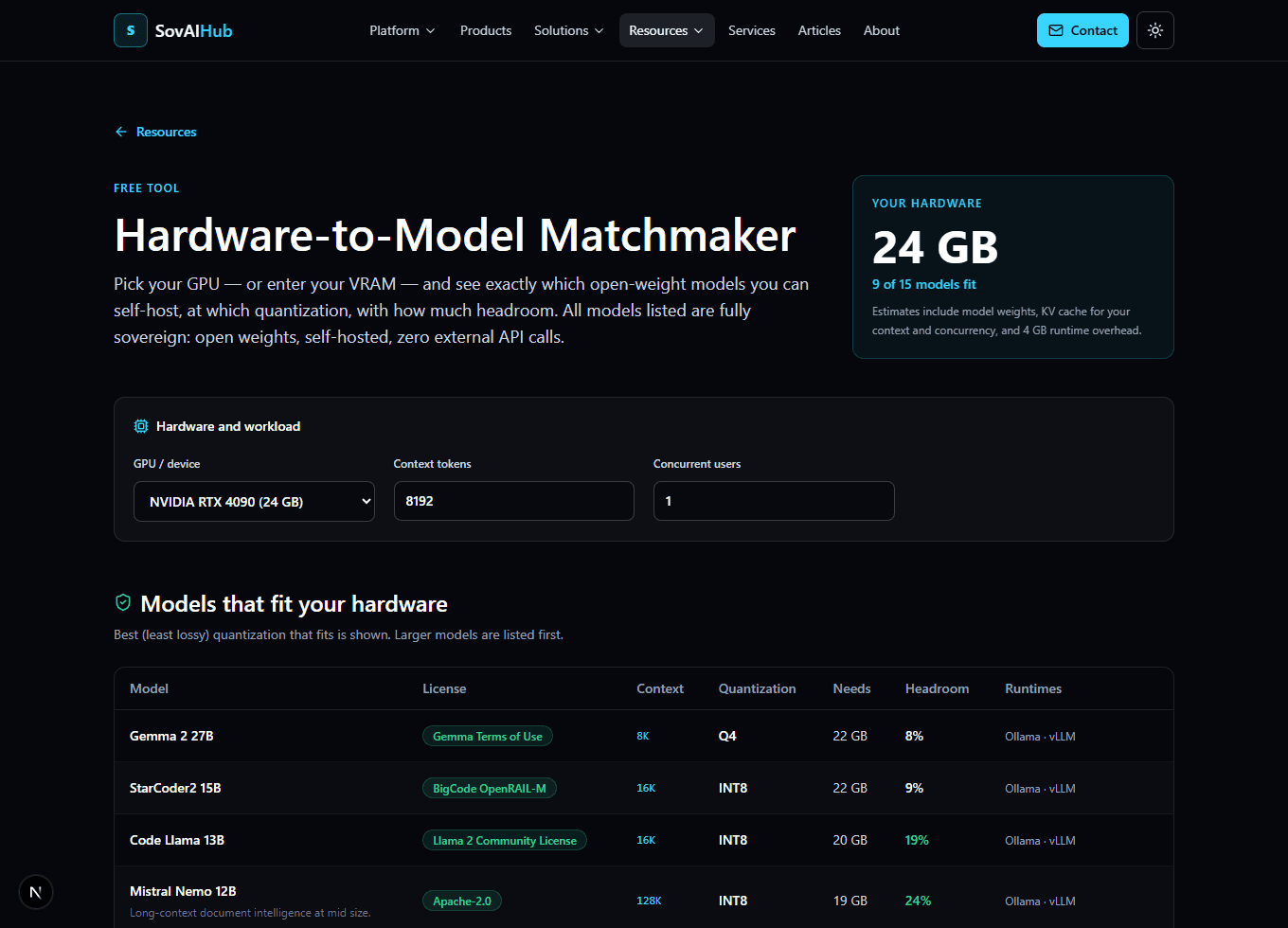
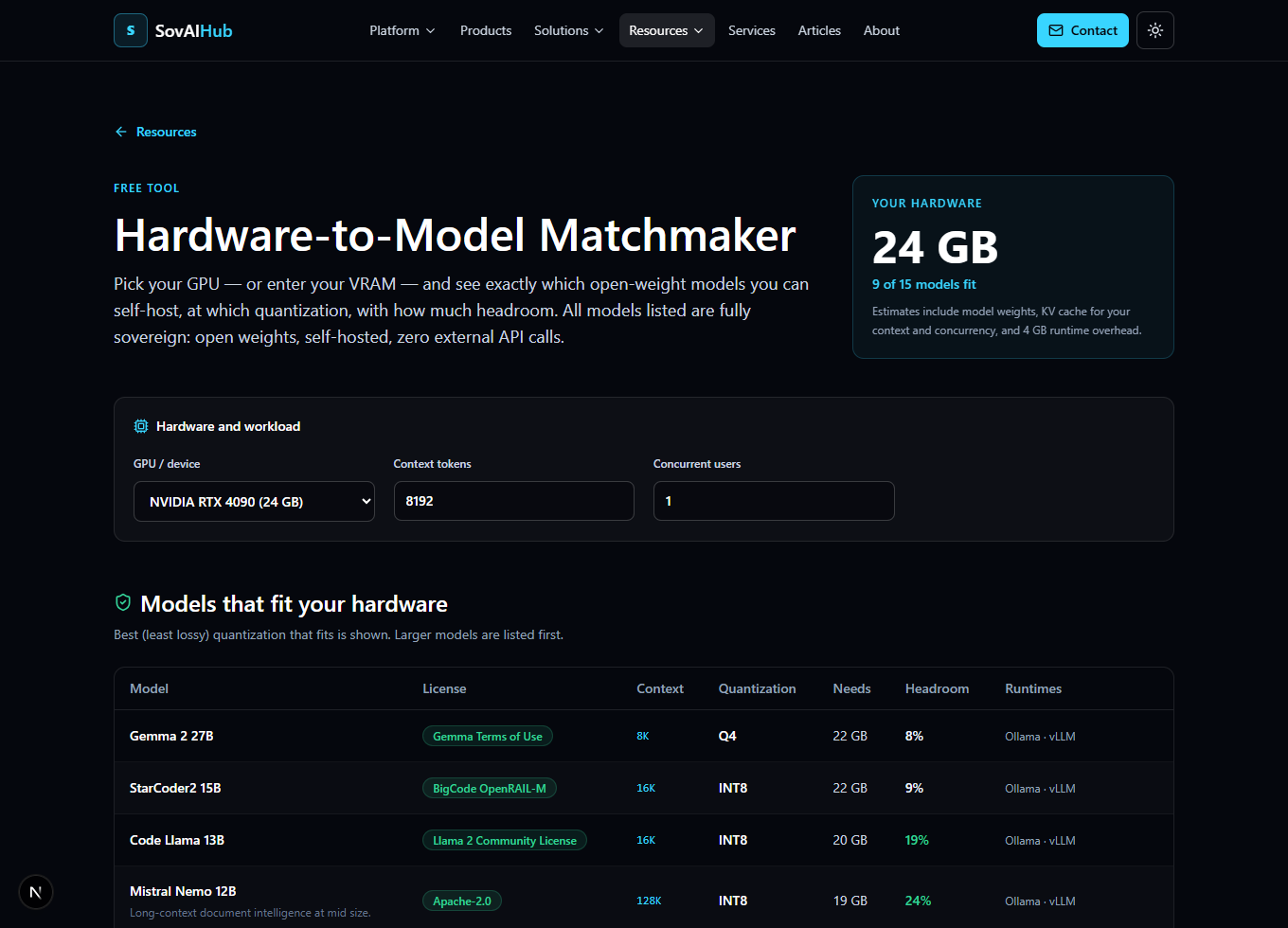
Want the answer without the arithmetic? The free Hardware-to-Model Matchmaker runs this exact calculation for 15+ open-weight models against 20+ GPUs, live in your browser.
The three things that consume VRAM
1. Model weights. Parameters × bytes per parameter, plus ~15% format overhead:
weights_gb = params_billion × bytes_per_param × 1.15
Bytes per parameter by quantization: FP16 = 2, INT8 = 1, Q5 ≈ 0.7, Q4 ≈ 0.55.
2. KV cache. Grows with context length and concurrent users. A workable rule of thumb is ~0.004 GB per billion parameters, per 1k context tokens, per concurrent user.
3. Runtime overhead. CUDA context, activation buffers, the serving framework itself. Budget ~4 GB.
Worked examples
Llama 3.1 8B at Q4, 8k context, single user — weights: 8 × 0.55 × 1.15 ≈ 5.1 GB; KV: 8 × 0.004 × 8 ≈ 0.3 GB; +4 GB overhead → ≈ 10 GB. Fits a 12 GB RTX 3060.
Mistral Nemo 12B at Q5, 16k context, 4 users — weights ≈ 9.7 GB; KV ≈ 3.1 GB; +4 GB → ≈ 17 GB. Wants a 24 GB card (RTX 3090/4090).
Llama 3.1 70B at Q4, 8k context, single user — weights ≈ 44.3 GB; KV ≈ 2.2 GB; +4 GB → ≈ 51 GB. Doesn't fit any single consumer card; needs a 48–80 GB class GPU (A6000, L40S, A100/H100) or 2× 4090 with tensor parallelism.
The same 70B at FP16 — weights alone ≈ 161 GB → multi-GPU server territory. This is why quantization isn't an optimization for self-hosters; it's the entry ticket.
A subtlety worth knowing: MoE models count total parameters, not active ones. Mixtral 8×7B activates ~13B parameters per token but all 46.7B must sit in memory — it sizes like a 47B model, not a 13B one.
Quick reference
| Hardware | Comfortable fit (Q4/Q5, 8k ctx) |
|---|---|
| 12 GB (RTX 3060) | 3B–8B |
| 16 GB (4060 Ti, A4000) | 7B–12B |
| 24 GB (3090/4090, L4) | 12B–32B |
| 48 GB (A6000, L40S, 2×4090) | 32B–70B tight |
| 80 GB (A100/H100) | 70B comfortable, small FP16 |
| Apple M4 Max 128 GB | 70B quantized (slower tokens/sec) |
Concurrency moves these numbers: at 32k context with 8 users, the KV cache for a 70B model adds ~72 GB on its own. Size for your worst realistic workload, not the demo.
Before you buy anything
- Run your workload on rented hardware first. An hour on a rented A100 costs a couple of dollars and replaces guesswork with measured tokens/sec.
- Check the license, not just the VRAM. Everything in our Model Registry lists license and commercial-use status — Apache-2.0 (Mistral, Qwen 7B) travels easier through procurement than community licenses.
- Recheck at your real context length. The Matchmaker and the Hardware Sizing Guide both let you set context and concurrency — the defaults are where sizing estimates go wrong.
Sizing a production deployment with budget on the line? A fixed-scope Architecture Review covers model selection, hardware sizing, and runtime topology with a written findings document.